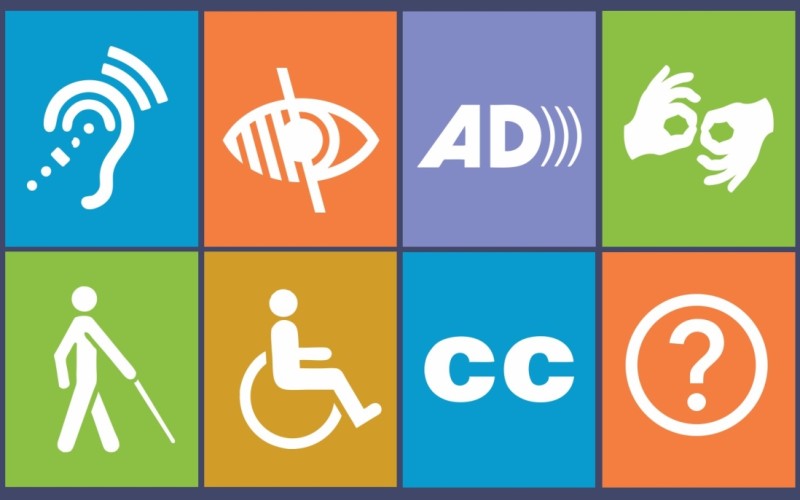
Understanding Web Accessibility: Key Concepts for an Inclusive Online Experience
Web accessibility refers to the inclusive practice of ensuring there are no barriers that prevent interaction with, or access to, websites by people with disabilities. It encompasses various disabilities, including those affecting vision, hearing, mobility, and cognitive function. Implementing web accessibility involves following recognized guidelines, such as the Web Content Accessibility Guidelines (WCAG), which outline a range of recommendations to make web content more accessible. Key concepts include perceivable, operable, understandable, and robust design, all aimed at providing an equitable online experience for everyone.
To achieve a truly inclusive online experience, it is essential to adopt best practices such as using descriptive alt text for images, creating keyboard-navigable interfaces, and ensuring appropriate contrast ratios for text and backgrounds. Additionally, implementing accessible forms and providing captions for multimedia content greatly enhances accessibility. By prioritizing web accessibility, we not only comply with legal standards but also expand our audience reach and improve overall user satisfaction across the digital landscape.
10 Simple Ways to Improve Your Website's Accessibility Today
Improving your website's accessibility is not just a good practice; it is essential for reaching a wider audience and ensuring that everyone can interact with your content. Here are 10 simple ways you can enhance your site's accessibility today:
- Use alt text for all images to describe their content for visually impaired users.
- Ensure your text has a sufficient contrast ratio against the background to aid readability.
- Structure your content using appropriate headings (H1, H2, H3) to help users navigate.
- Make sure all interactive elements, like buttons and links, are clearly labeled.
- Implement keyboard navigation to allow users who cannot use a mouse to navigate easily.
Continuing to improve accessibility can make a significant difference in user experience. Here are the last five ways:
- Provide transcripts for audio and video content to support users who are deaf or hard of hearing.
- Ensure your website is responsive and mobile-friendly, making it accessible from various devices.
- Use clear and descriptive language, avoiding jargon that may confuse users.
- Test your site with accessibility tools and real users to identify any potential issues.
- Regularly update your content and accessibility practices to keep up with evolving standards and technologies.
How Web Accessibility Benefits Everyone: Breaking Down Misconceptions
Web accessibility is often misunderstood as solely benefiting individuals with disabilities. However, the reality is that accessible web design enhances the user experience for everyone. For instance, elements like clear navigation, alternative text for images, and properly structured headings make websites easier to use not only for those with visual impairments but also for older adults, mobile users, and anyone facing temporary challenges, such as a broken arm. By implementing these practices, developers create a more inclusive digital environment that caters to a broader audience.
Moreover, improving web accessibility can also have a positive impact on a site’s SEO. Search engines favor well-structured content, leading to better rankings on search results pages. Accessibility features, such as semantic HTML and proper use of headings, align with SEO best practices, helping all users find information quickly and efficiently. In this way, breaking down misconceptions around web accessibility not only benefits individuals with disabilities but also fosters a more user-friendly online ecosystem that advantages businesses and users alike.